How to Manage GST Invoices During Shopify Sales and Festive Offers
November 12, 2026
Festive sales often mean more orders, special discounts, returns and customer queries. With so much happening at once, it is easy to make invoicing errors, especially when GST details are not checked properly.
To keep things simple, make sure every taxable sale has the right GST invoice. Show discounts clearly, calculate the correct tax amount, follow a proper invoice numbering system and record returns using credit notes where required. Shopify helps you manage orders, but you may need a separate GST invoicing app to create invoices that meet Indian GST requirements.
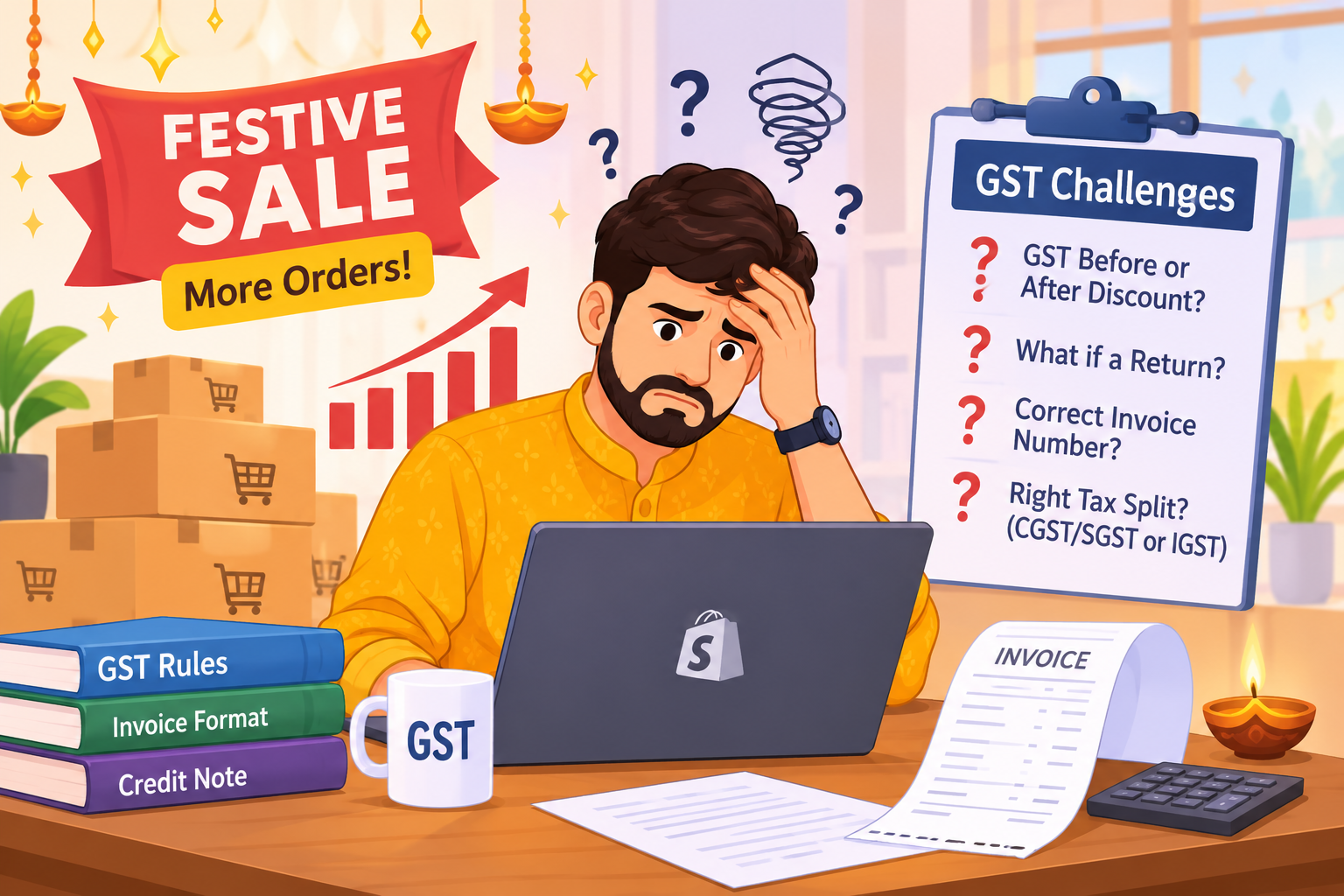
During Diwali, Independence Day sales, or end-of-season offers, can cause orders to rise quickly. You may sell the same product at different prices because of coupons, bundle offers or free shipping.
This creates common questions:-
Good GST invoicing keeps these issues under control. It also helps you maintain clean records for filing and customer support.
A GST tax invoice must include prescribed particulars, such as supplier details, GSTIN, a consecutive invoice number, buyer details where applicable, description of goods or services, quantity, taxable value, tax rate and tax amount.
The Government's GST invoice rules under Rule 46 list these requirements, so always check the latest official CBIC/GST guidance for your business situation.
For a typical Shopify order, your invoice should clearly show:
| Invoice field | Why it matters |
|---|---|
| Seller name, address, and GSTIN | Identifies the registered seller |
| Invoice number and date | Keeps records in a proper sequence |
| Customer details | Needed for B2B sales and delivery records |
| Product description and HSN code | Helps identify the item correctly |
| Quantity and unit price | Shows what was sold |
| Discount | Explains the reduced selling price |
| Taxable value | The value on which GST is calculated |
| CGST, SGST, or IGST | Shows the correct tax split |
| Total invoice value | The final amount payable |
Do not assume one tax rate applies to every product. Check the HSN code and applicable GST rate for each product before a sale begins.
If you are new to Shopify GST billing, read our guide on how to generate GST invoices easily on Shopify. It explains the invoice creation process and can help you understand how to manage GST invoices for your Shopify orders.
Discounts are common during festive sales. You may offer percentage discounts, fixed-amount coupons or special prices on selected products.
The important thing is to show the discount clearly and calculate GST on the correct taxable value.
Example: Flat 20% Off
Suppose a customer buys a table lamp priced at ₹2,000. You offer 20% off.
Your invoice should clearly show the original price, discount, final taxable value, applicable GST rate and tax amount.
This makes the calculation transparent for customers and helps you maintain accurate GST records during festive sales
A coupon reduces the product price. Free shipping may be treated differently depending on how you charge and describe it. Keep the treatment consistent and record it clearly.
Before a big sale, test one order with:-
This simple test can prevent many invoicing errors later.
For intra-state sales, GST is usually shown as CGST and SGST. For inter-state sales, it is usually shown as IGST. The correct split depends on the place of supply and your GST registration details.
For example, if your store ships from Maharashtra to a customer in Maharashtra, the invoice may show CGST and SGST. If the same order goes to Karnataka, it may show IGST.
During festive sales, orders can come from many states. Sometimes, manual calculations can lead to errors when choosing the correct GST split. This is where a dedicated GST invoice Shopify workflow helps: it can create invoices from Shopify orders and apply the correct GST presentation based on the order details
Invoice numbers must be consecutive. They can use letters, numbers, hyphens and slashes. The number must be unique for the financial year and follow the prescribed format.
Avoid these common habits:
You can utilize one invoice number series or several series for different business needs. Make sure each series adheres to GST regulations, with consecutive invoice numbers that are unique for the fiscal year. For example, you may use something like INV-2026-000123.
If an order is cancelled after an invoice has been issued, the relevant cancellation or credit note procedure should be followed, as applicable. Do not erase an issued invoice number or reuse it for a different order. Maintain a record of cancelled invoices.
Festive sales often lead to more returns and exchanges. A customer may return a kurta, request a different size or cancel one item from a combo order.
Keep a clear record of every return, exchange, cancellation, and refund. The correct GST document depends on what happened to the original sale.
A credit note may be appropriate when the taxable value or tax charged needs to be reduced under GST rules. However, it is not automatically required for every return or exchange.
Under Section 34 of the CGST Act, a registered seller may issue a GST credit note in certain cases. These include situations where the taxable value or GST charged on the original invoice was more than it should have been or where the customer returns goods.
Before issuing a credit note, check the return and refund details. Make sure the credit note follows the applicable GST conditions and reporting requirements.
For example, suppose a customer buys two shirts but returns one. Review which shirt was returned and how much was refunded. If a credit note is needed, it should cover only that returned shirt, along with its taxable value and GST amount.
Always mention the original invoice number. Also keep a clear record of the return reason, refund, and tax adjustment.
Exchanges can be handled differently. In some cases, the returned item may be treated as a return, followed by a new sale for the replacement item. The right process depends on how the exchange is actually handled.
Do not issue a new invoice for the items the customer kept. Issue a fresh invoice only when there is a separate supply or another valid reason under GST rules.
Here are some common mistakes that sellers make:
Clear records make GST filing and customer disputes easier.
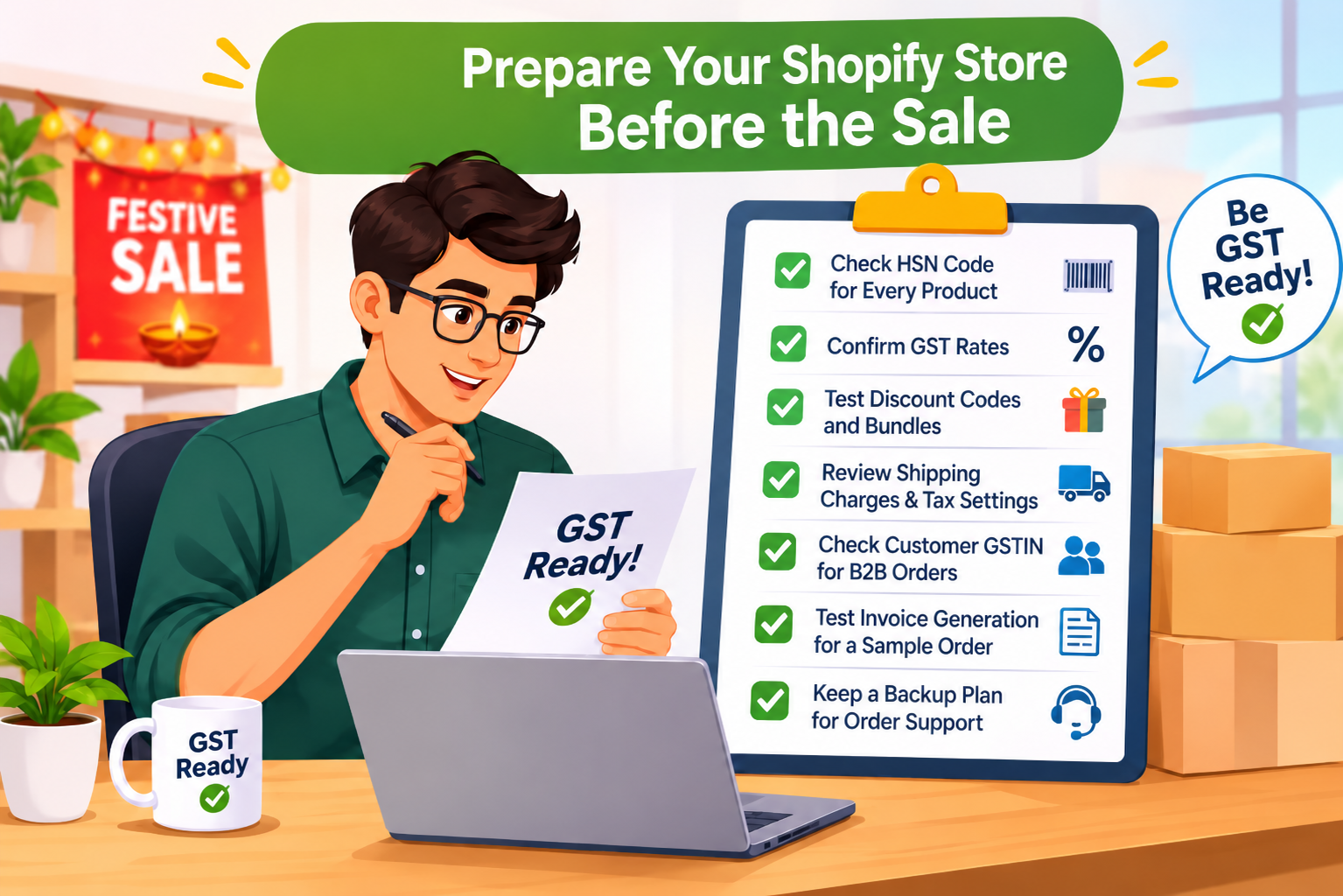
A little preparation can save hours during peak sale days.
Shopify states that it does not create a GST-compliant bill, so merchants in India generally need a local third-party GST invoicing service or app. This is why many sellers use WebPlanex: GST Invoice India to generate GST invoices from Shopify orders, manage product tax details, and handle festive-season order volume with less manual work.
Sellers often have a lot of invoicing problems during seasonal sales. This is because they don’t review their tax settings, discount rules and invoice information before the sale starts. Before your sale goes live, go through this checklist:
A GST invoicing app such as WebPlanex: GST Invoice India can help reduce manual entry by syncing Shopify order data and creating invoices in a structured format.
Festive offers are for selling, not for paperwork issues. If your product tax settings are correct, your discounts are recorded correctly, your invoices are numbered correctly and cancellations/returns are managed correctly, you will find it easier to manage a well-planned sale.
Accurate invoices safeguard business records, aid GST filing and foster consumer confidence. WebPlanex: GST Invoice India helps Shopify sellers in India to create GST invoices from their Shopify orders, making invoicing easier during busy sale seasons
If you are a GST-registered seller making a taxable supply, you generally need to issue a tax invoice. Check Section 31 of the CGST Act and the latest official GST rules for exemptions or special cases.
No. Shopify says it does not create a GST-compliant bill; merchants can use a third-party GST invoicing app from the Shopify App Store.
GST should generally be calculated on the final taxable value after applying the discount. Show the original price, discount, and discounted amount clearly on the invoice.
Keep in mind that the GST treatment may vary depending on when the discount is offered and who provides it.
Do not change the invoice number or alter an issued invoice casually. Use the correct correction process, such as a credit note or debit note, based on the situation.
